Generic findings do not map cleanly
A cloud configuration finding may support a framework requirement, but generic scanner output rarely carries the direct provider and requirement mapping an assessment needs.
Framework-mapped cloud benchmarks, applied directly to Horizon.
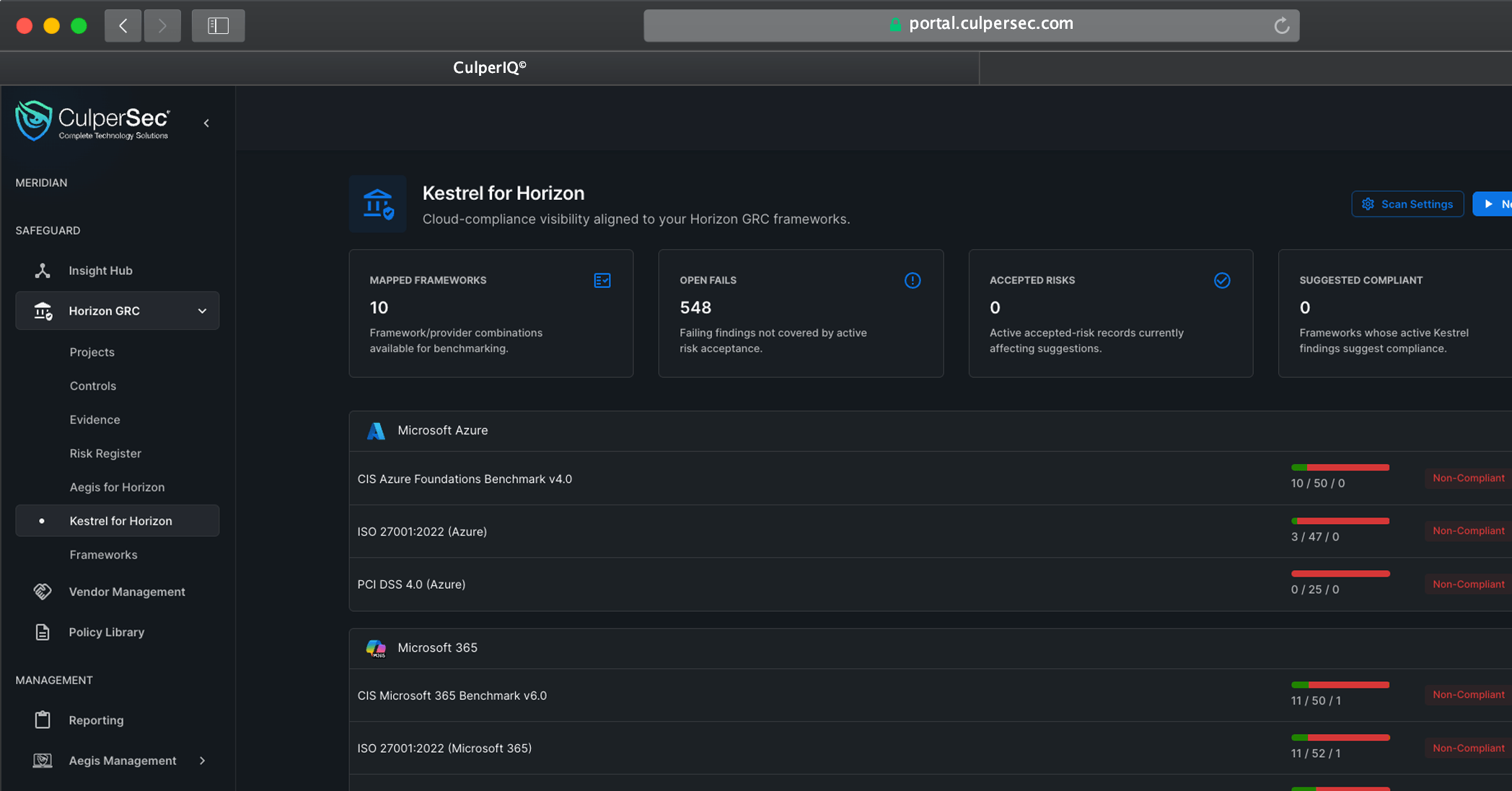
Map cloud posture into the compliance workflow
Kestrel for Horizon runs cloud benchmarks that are directly mapped to framework requirements, then applies the results where compliance teams score requirements and manage risk.
A cloud configuration finding may support a framework requirement, but generic scanner output rarely carries the direct provider and requirement mapping an assessment needs.
Teams often review scan results separately, then manually update requirement scores, compliance statuses, and notes inside the assessment.
Failed benchmark checks can remain technical findings instead of becoming governed risks with ownership, treatment, and review in Horizon GRC.
Use Kestrel infrastructure to run the right benchmark, import its results into the matching Horizon assessment nodes, and decide how those results affect compliance and risk.
Use benchmark definitions directly mapped to a specific frameworks and cloud providers.
Start with the requirement map
Run the mapped checks through Kestrel across supported Microsoft Azure, Microsoft 365, AWS, and Google Cloud environments.
Use one cloud scan foundation
Select a Horizon project and Compliance Assessment, preview the mapping, and apply Kestrel results directly to the framework requirements they evaluate.
Skip manual result entry
Choose whether imported results should set the requirement node score and compliance status, including whether existing statuses should be updated.
Accelerate assessment completion
Bring failed Kestrel results directly into the Horizon GRC Risk Registry for ownership, analysis, acceptance, treatment, and ongoing review.
Turn failures into governed risk
Kestrel applies cloud benchmark results directly to Horizon assessments and risks. Aegis for Horizon brings endpoint security configuration results into the same compliance-focused model.
Compliance foundation
Receive mapped Kestrel results in Compliance Assessment requirements, update node scoring and compliance, and manage negative findings in the Risk Registry.
Endpoint posture counterpart
Run endpoint security configuration assessments with Aegis and map results to Horizon controls.
Replace manual assessment updates with a direct path from a framework-mapped Kestrel benchmark to Horizon requirement nodes and the Risk Registry.
Choose a benchmark already mapped to the target compliance framework and cloud provider combination.
Run the benchmark against the connected environment using the existing Kestrel scan infrastructure.
Preview the direct mapping and pull results into the matching Compliance Assessment requirement nodes, with optional score and status updates.
Send negative results to the Horizon GRC Risk Registry when a failed requirement needs formal risk ownership and treatment.
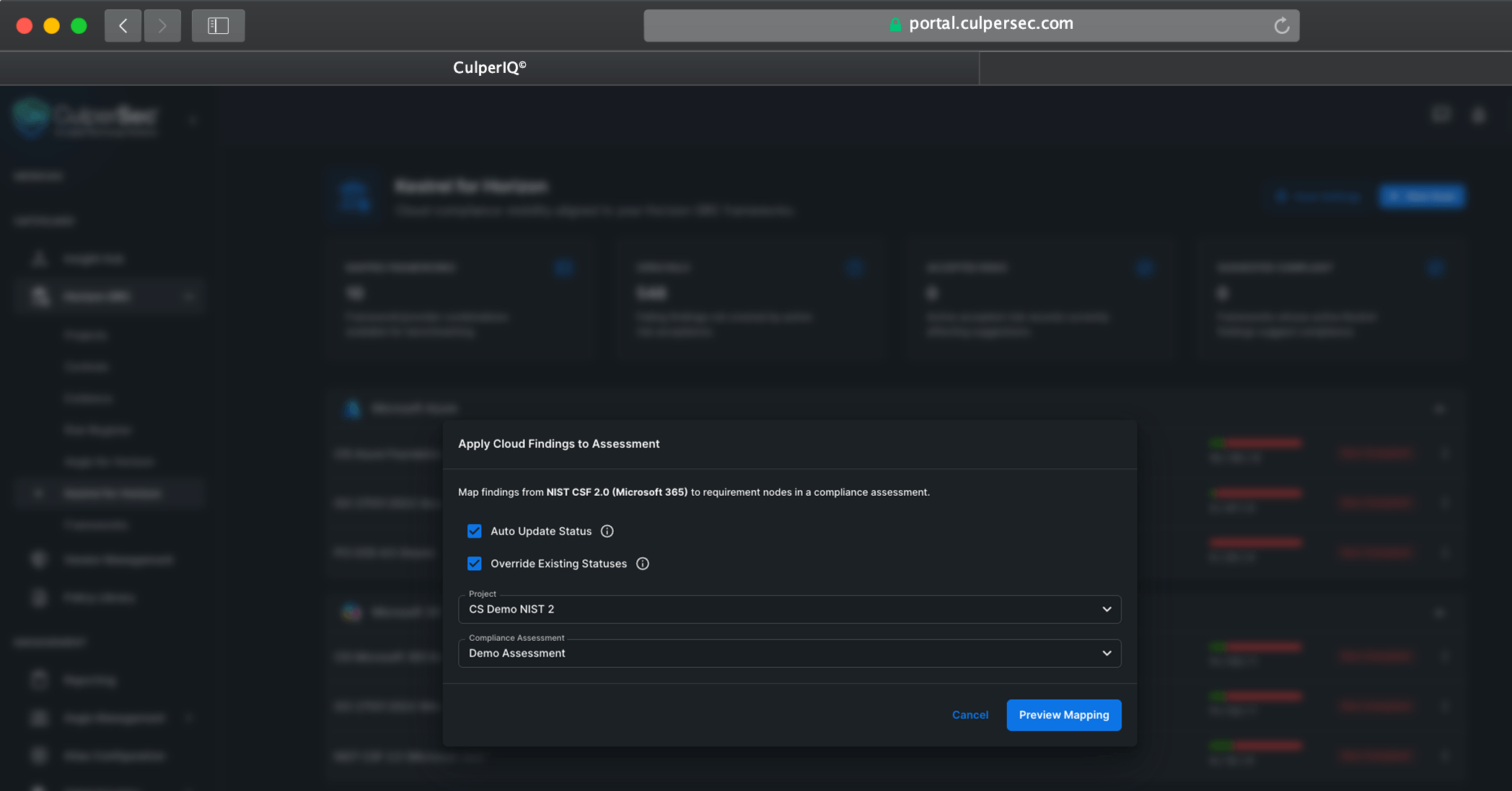
Pull mapped results into an assessment, optionally update requirement scoring and compliance, and move failed results into risk without rebuilding the work by hand.
See how Kestrel for Horizon runs mapped benchmarks, updates assessment requirements, and routes negative results into risk.