Hardening posture is hard to prove
Configuration standards may exist on paper while teams lack current endpoint results showing whether managed systems actually meet the expected baseline.
Endpoint hardening evidence, mapped directly to Horizon.
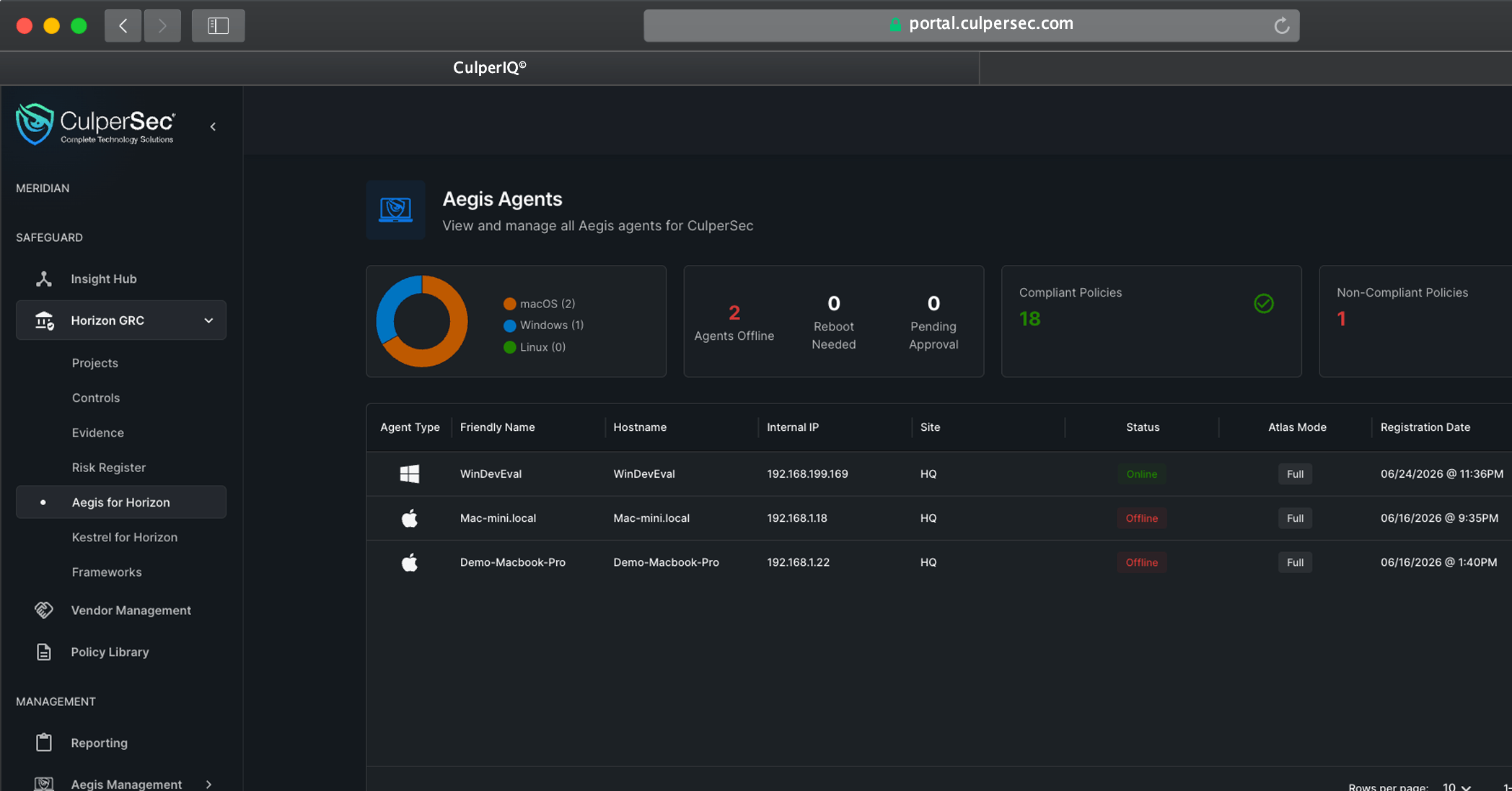
Bring endpoint posture into the compliance workflow
Aegis for Horizon turns current security configuration assessment results into reviewable technical evidence for the Horizon controls compliance teams already manage.
Configuration standards may exist on paper while teams lack current endpoint results showing whether managed systems actually meet the expected baseline.
Benchmark output can remain inside endpoint tooling or exported files instead of reaching the Horizon controls that need configuration evidence.
Without a structured review step, exceptions, false positives, and remediation decisions are difficult for control owners and auditors to follow later.
Use the Aegis agent to run the right benchmark, review its results, and connect endpoint hardening posture directly to the Horizon control model.
Run endpoint configuration assessments through Aegis-managed Windows, macOS, and Linux systems without introducing a separate compliance agent.
Start from managed endpoints
Choose the applicable security configuration policy, execute the assessment on the target endpoint, and schedule recurring scans when needed.
Measure the expected baseline
Support manual or automated review so teams can validate benchmark results, document context, and address exceptions before using them as evidence.
Keep evidence defensible
Connect reviewed endpoint configuration results to the Horizon controls they support, giving compliance owners direct technical evidence.
Link posture to the control model
Maintain a clearer view of hardening posture as systems, policies, benchmark results, and remediation decisions change across the fleet.
Keep control evidence current
Aegis brings endpoint configuration evidence into Horizon controls. Kestrel for Horizon applies framework-mapped cloud results to assessments and risks.
Compliance foundation
Receive reviewed endpoint configuration results as technical evidence for the controls and compliance work managed in Horizon.
Cloud posture counterpart
Framework-mapped cloud benchmarks directly integrated in Horizon GRC.
Create a repeatable path from an Aegis-managed endpoint to defensible Horizon control evidence without relying on disconnected exports.
Use endpoints already managed by the cross-platform Aegis agent as the foundation for security configuration evidence.
Select and run the appropriate SCA benchmark against the target system, either on demand or as a recurring command.
Validate the benchmark results, capture exceptions and context, and determine which findings are ready to support compliance work.
Attach reviewed endpoint results to Horizon controls so technical hardening posture becomes traceable compliance evidence.
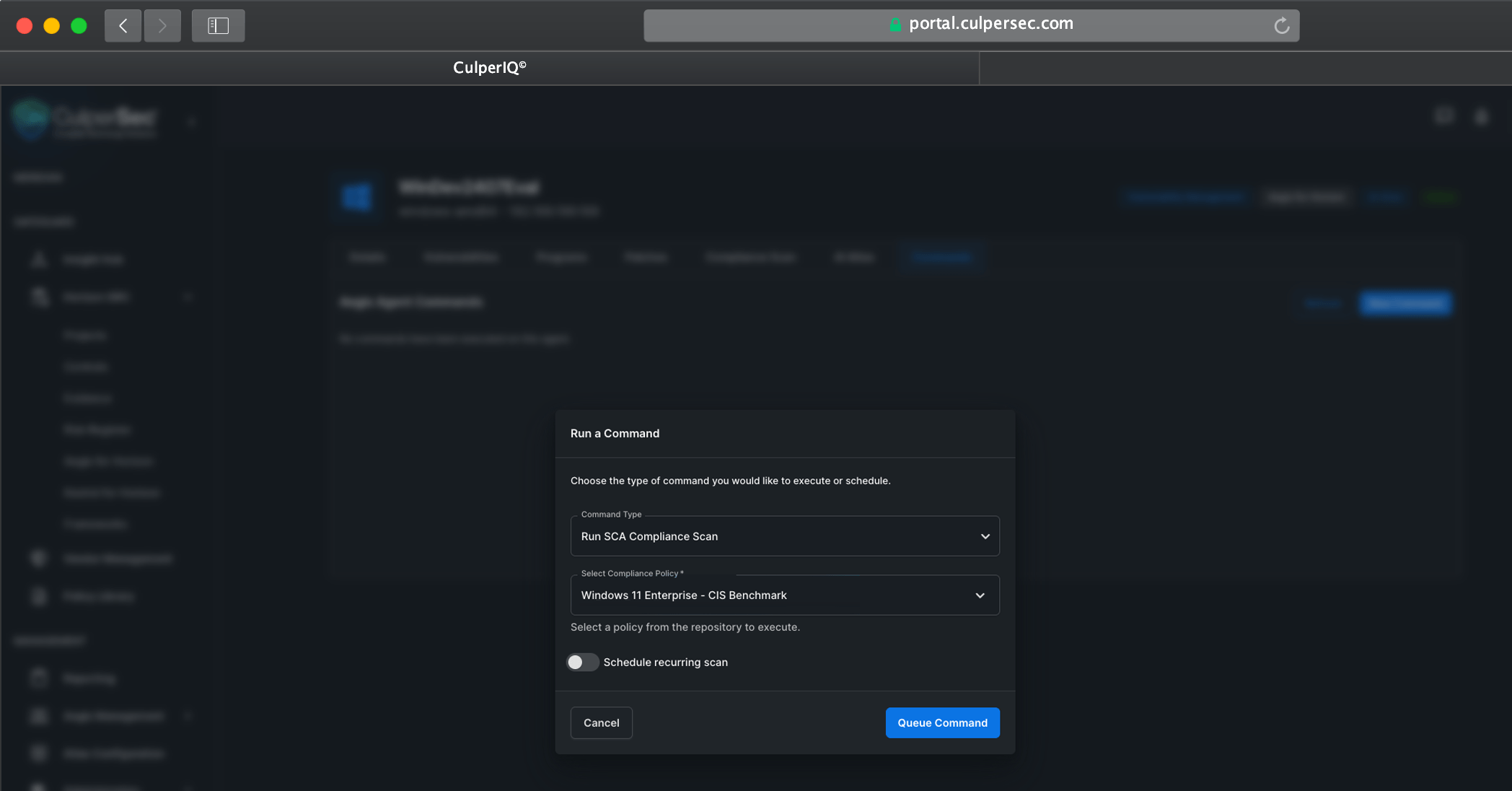
Run SCA benchmarks through Aegis, review the findings with technical context, and give Horizon control owners evidence they can trace back to the endpoint.
See how Aegis for Horizon runs security configuration assessments, supports review, and maps results into Horizon controls.